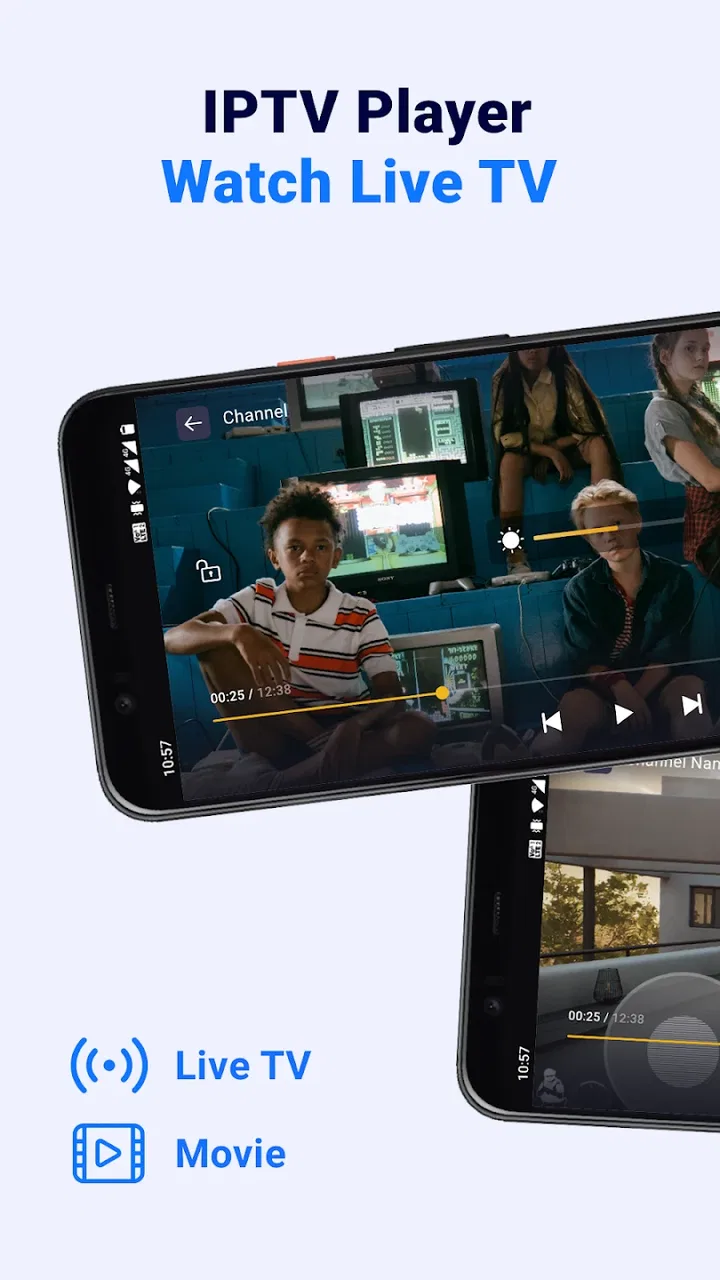
IPTV Player: Watch Live TV
- 4.4
- Rating
- 5.00M
- Installs
- Free
- Price

 Analysis by App-foxy
When I try an IPTV app, I am not only checking whether a channel starts playing. I also want to know what the app expects from me, how much control I have over my viewing setup, and whether its limits are clear before I spend time building a playlist. IPTV Player: Watch Live TV takes a straightforward approach: it is a free video player for live television streams, with M3U playlist support, rather than a replacement for a television provider.
That distinction matters. The app does not magically create a complete television package for you. Its usefulness depends on the playlists you bring to it and on the quality and legality of those streams. In my experience, this makes it most interesting for people who already use IPTV sources and want one place to organize or watch them. It is less appealing if you expect a ready-made catalog, familiar broadcast channels, or the polished discovery experience of a major streaming service.
What the app is really designed to do
Oliaviz GmbH publishes this app in the Video Players & Editors category. Its central job is simple: load an M3U playlist and play the live channels contained in it. That focused purpose is a strength because the interface does not need to compete with the large recommendation systems, subscription libraries, and social features found in mainstream video platforms.
You May Also Like

 Blood Strike: 2.5 Anniversary
Blood Strike’s Loadouts Turn Every Drop Into a Tactical Gamble
A close look at Blood Strike’s custom loadouts: how fast access to signature weapons reshapes its battle royale rhythm, rewards preparation, and narrows the gap between fights.

 Pandora - Music & Podcasts
Pandora’s Music Is Easy to Start, but Harder to Recover
Pandora’s strength is its low-effort path from a seed to a station. Its weak spot is how much confidence it asks you to place in connection, setup, and quiet recovery.

 8 Ball Pool
 Is Built on Rivalries, Rematches, and Routine
A close look at the rivalries, rematches, shared routines, and unanswered safety questions that turn a quick pool match into a persistent mobile community.

 Samsung Music
’s Quiet Strength Is Playing What You Already Own
Its reach comes less from spectacle than from dependable access to a personal library. That simplicity is both the app’s strongest retention engine and its ceiling.

 AccuWeather: Weather Radar
AccuWeather Review: A Quick, Clear Forecast for Everyday Decisions
For everyday plans, the best forecast is the one you can understand quickly. AccuWeather makes rain timing, radar, and local conditions easy to act on, with a few trade-offs.

 Hill Climb Racing
Why Hill Climb Racing Still Turns Crashes Into One More Run
A tiny car, a bumpy hill and one more upgrade: Hill Climb Racing keeps resurfacing because its simple chaos makes every near-miss feel personal.
More From Our News Desk



The app is free to install and is suitable for Everyone. It has reached over 5 million installs and holds a 4.4 average from around 55 thousand ratings, which suggests that the basic idea works for a substantial audience. I would treat those figures as signs of broad interest rather than proof that every playlist will work smoothly. IPTV playback is unusually dependent on the source, network, stream format, and device.
The current version is 1.7.3, and it runs on Android 7.0 or later. That relatively broad operating-system range is useful if you are using an older phone or tablet as a dedicated television screen. I would still check the device itself before relying on it for a living-room setup, because an older Android version can be compatible while the hardware remains too slow for demanding high-quality streams.
Trust starts with knowing what you are installing
An IPTV player can look deceptively simple in a store. The important question is not just whether it plays video, but whether its role is understandable. Here, the product description points toward a player for online live television and M3U playlists. That gives me a reasonably clear expectation: I should supply a playlist, test the streams, and judge the app as a playback tool.
I would not confuse the app with a broadcaster or a television subscription. If a channel disappears, buffers constantly, or refuses to connect, the problem may be outside the player. This is one of the first practical checks I would make before blaming the application: open the same playlist in another compatible player, test the network, and see whether the issue follows the source.
That workflow also helps with trust. When the app is used as a neutral player, I can make a more informed decision about where my channel list came from. I prefer legitimate playlists from a provider or organization I recognize. A player should not be treated as permission to access streams that are not authorized for the viewer.
Playlist handling is the part that deserves attention
M3U support sounds convenient, but a playlist is not the same thing as a finished channel guide. In practical use, a playlist can contain hundreds of entries, duplicate channels, regional versions, dead links, or labels that are difficult to understand. The first setup can therefore take longer than a store summary suggests.
My advice is to begin with a small, known-good playlist instead of importing everything at once. This gives you a cleaner way to identify whether the player handles your source correctly. It also makes troubleshooting much easier: if only one or two channels fail, the issue is probably limited to those entries rather than the entire setup.
A useful habit is to keep a backup of the original M3U file before editing it. If you remove broken entries or rename channels for easier reading, preserve the untouched copy separately. That is a small step, but it prevents a frustrating situation where a quick cleanup leaves you unable to restore the original list.
Another non-obvious trade-off is that a very large playlist may feel less convenient than a smaller, curated one. More channels do not automatically mean better viewing. I would organize a personal list around the channels I actually watch, then keep a separate full list for occasional searches. This reduces scrolling and makes the app feel more like a practical television tool than a directory of uncertain links.
How I would use it on an ordinary evening
Imagine that I want to watch a local news stream after work using an Android tablet connected to home Wi-Fi. I would first import a legitimate M3U playlist, locate the channel, and test it before the program begins. If it plays reliably, I would keep the tablet on a stand and use the player as a lightweight television screen.
If the stream buffers, I would not immediately reinstall the app. I would check whether other channels from the same playlist behave the same way, then try the connection with another device. If only that channel fails, the source is the more likely cause. If every channel struggles, I would look at Wi-Fi strength, network congestion, and the tablet’s performance.
This scenario shows where the app fits well: a flexible screen for live streams that I already trust. It is not the best choice for someone who wants to press one button and receive a professionally maintained channel lineup with guaranteed availability.
Controls, choices, and the limits of what I can judge
For a data-sensitive app, I pay attention to the choices visible during setup and use. I want to see what I am being asked to provide, whether an account is necessary, and whether optional purchases are clearly separated from basic playback. The app’s free price lowers the barrier to testing it, while in-app purchases range from $2.99 to $18.99 per item. I would review any purchase screen carefully and avoid assuming that paying will repair a poor stream or provide channels that are not part of my playlist.
The most important control in this type of app is often the playlist itself. I decide which source to load, which entries to retain, and when to remove a list I no longer trust. That gives me more practical agency than a closed streaming service, where the catalog and account relationship are controlled almost entirely by the provider.
At the same time, flexibility creates responsibility. A playlist may contain links that reveal more about viewing habits to its operator, especially if the list comes from an unfamiliar service. I would therefore avoid entering credentials into a source I cannot identify, and I would be cautious with playlists received through random messages or unofficial download pages. The player can be useful without making every source safe.
I also recommend checking the app’s visible permission prompts and privacy choices on your own device before regular use. I do not treat the absence of an obvious request as proof of a particular data practice, and I would not infer privacy guarantees from the app’s simple interface. My approach is practical: grant only what is clearly needed for the way I use it, review Android’s permission manager, and remove access that no longer makes sense.
Where the free model helps and where it does not
Free access is valuable because I can test compatibility before committing to a subscription. That is especially important with IPTV, where one player may handle a particular playlist better than another. I can install it on a compatible device, try a few channels, and decide whether the experience justifies keeping it.
However, the purchase options mean I would pay attention to the exact wording of each offer. A paid item may be useful for removing a limitation or adding convenience, but I would not assume it includes content rights, a channel package, or technical support for every stream. The sensible order is to test the free experience first, understand what the purchase changes, and only then decide.
This is also where the app compares differently with ordinary streaming services. A mainstream service usually charges for access to its own catalog and handles the channel or program presentation for you. IPTV Player: Watch Live TV gives me more control over sources, but it also gives me more setup work and more responsibility for the reliability and legitimacy of those sources.
Who will appreciate the flexibility
I think the app is a good match for an experienced IPTV user who already has a legitimate M3U playlist and wants a dedicated player instead of switching between browser tabs or provider-specific tools. It can also suit someone creating a simple television setup from an older Android device, provided the device and network can handle the streams.
It may appeal to households that use several playlists for different purposes. For example, one list might contain local channels, while another contains international programming. Keeping those sources separate can make troubleshooting and source management easier than mixing everything together. I would still label each list clearly so I know which provider or organization it came from.
The app is less suitable for viewers who want a polished electronic program guide, universal search, cloud recording, or a fully managed subscription experience. Those expectations belong more naturally to a provider’s official application or a premium television platform. If I do not already have a reliable source, installing this player alone does not solve the main problem.
Small habits that improve the experience
My first tip is to test several channels from different parts of a playlist rather than only the first entry. This gives a better idea of whether the list is healthy. A playlist can open successfully while many individual streams remain unavailable, so one working channel is not enough evidence.
My second tip is to test at the time I normally watch. A stream that works during a quiet afternoon may behave differently during a busy evening. That is not necessarily an app fault, but it affects whether the player is dependable for the use case I care about.
My third tip is to treat source management as part of the viewing experience. I would remove dead entries, keep trusted sources identifiable, and avoid repeatedly importing unknown lists just because they promise more channels. A shorter list with clear origins is easier to maintain and safer to reason about than a constantly changing collection.
My fourth tip is to use the minimum setup needed for the first test. I would not begin by loading every playlist, connecting multiple devices, and paying for an optional item. A clean trial makes it easier to tell whether the app fits my needs and whether any friction comes from the player, the source, or the network.
My cautious verdict
After looking at the app as both a player and a tool that sits between me and external streams, I see a clear but limited proposition. Its real value is controlled access to playlists I already understand, not the promise of an all-in-one television service. That makes it more transparent than an app that hides the origin of every channel, but it also demands more judgment from the user.
IPTV Player: Watch Live TV is worth trying if you need M3U support, use Android 7.0 or newer, and have a legitimate playlist ready. The free installation makes testing straightforward, and the app’s broad adoption and 4.4 average indicate that many users find the basic experience worthwhile. I would keep expectations realistic: playback quality, channel availability, and source privacy are not solved simply by installing a player.
I would recommend it to a careful viewer who values flexibility and is willing to manage playlists. I would skip it in favor of an official television or streaming app if I wanted guaranteed channels, a curated guide, or minimal setup. Before using it regularly, I would test a small trusted list, inspect every visible choice during setup and purchase, review device permissions, and keep control of the sources I load. With that cautious approach, it can be a useful live-TV companion rather than a confusing shortcut.
FAQs for IPTV Player: Watch Live TV
01What features does the IPTV Player offer?
The IPTV Player provides a comprehensive range of features including live TV streaming, video on demand, and electronic program guides. It also supports various formats like M3U and XSPF, allowing users to customize their viewing experience. Additionally, features like parental controls and multi-device synchronization enhance usability.
02Is the IPTV Player compatible with all devices?
The IPTV Player is designed to be highly compatible, supporting both Android and iOS platforms. It can be used on smartphones, tablets, and some smart TVs. However, users should check for specific version requirements on the app store to ensure seamless installation and operation.
03Does the IPTV Player require a subscription?
While the IPTV Player itself might be free to download, accessing certain content may require a subscription. The app serves as a platform to stream content provided by various IPTV services, some of which may charge a fee. Users should verify the terms with their IPTV service provider.
04How user-friendly is the IPTV Player?
The IPTV Player is designed with a clean and intuitive interface, making it accessible for users of all experience levels. The setup process is straightforward, and the app provides detailed user guides and tutorials. Regular updates ensure improved functionality and user experience over time.
05What should I do if I encounter streaming issues?
Streaming issues can often be resolved by checking your internet connection and ensuring it meets the app’s bandwidth requirements. If problems persist, restarting the app or device can help. The app also offers customer support and troubleshooting guides available within the settings menu for further assistance.
Pros
- User-friendly interface for easy navigation.
- Supports multiple video formats smoothly.
- Customizable playlists enhance user control.
- High-quality streaming with minimal buffering.
- Offers both free and premium options.
Cons
- Occasional ads in the free version.
- Limited offline viewing capabilities.
- Some features require premium access.
- Initial setup can be slightly complex.
- Inconsistent support for older devices.

IPTV Player: Watch Live TV
Gallery